
Paint -Write like paper2.6.4 - App Store
You'll be able to see results in few seconds.
Publisher Description

Paint -Draw like paper
What can you do with Paint?
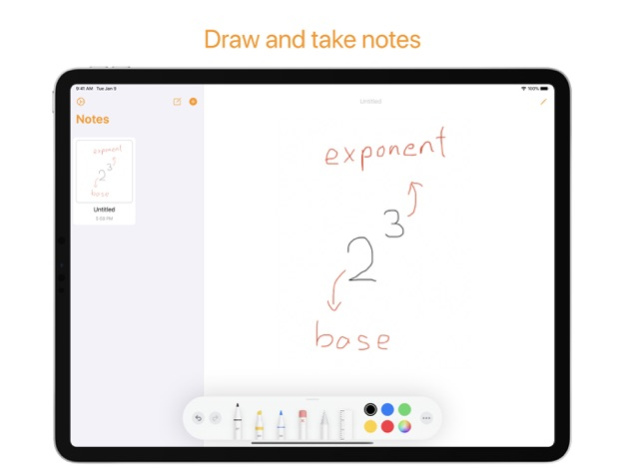
-You can draw with amazing tools using your finger
-Use Apple Pencil/touch pressure to enhance your creativity or make your notes stand out
-Take your immediate thoughts and draw them in Quick Notes
Features
1. Draw
You can use many of the tools to draw anything you'd like using your finger and Apple Pencil
If you run out of space, you can always scroll with two fingers on the screen to extend your canvas (Only for scrollable canvases)
2. Creative writing/drawing
Apple Pencil (iPadOS exclusive)
use pressure and tilt to change the appearance of your tool
3D Touch
the touch pressure can change the thickness and opacity of your tools too
3. Quick Notes
Take notes about your immediate thoughts that could change your life and take notes of them
and more
4. iMessage Support
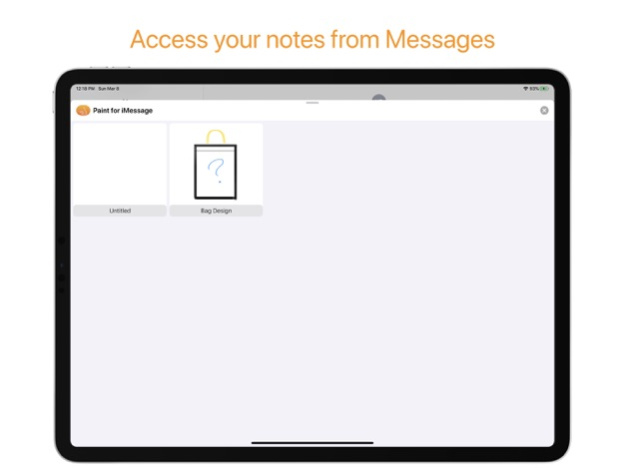
By using the -for iMessage app, you can send the notes you've written with just a tap!
About the app
Paint has been what the developer started his career with. it was a completely different app, and focus towards different people. But the current Paint you are looking at is what technology has enabled us to do and made specifically for drawing and taking notes by writing like paper
Feedbacks
If you have any difficulties or have feature requests, please go to the setting screen and press "Feedback", or DM @BookmarkApp_ on Twitter
Leaving reviews on the App Store helps too
May 4, 2024
Version 2.6.4
- Fix: Crash when creating a new note in certain environments
About Paint -Write like paper
The company that develops Paint -Write like paper is Yuto Iwakami. The latest version released by its developer is 2.6.4.
To install Paint -Write like paper on your iOS device, just click the green Continue To App button above to start the installation process. The app is listed on our website since 2024-05-04 and was downloaded 0 times. We have already checked if the download link is safe, however for your own protection we recommend that you scan the downloaded app with your antivirus. Your antivirus may detect the Paint -Write like paper as malware if the download link is broken.
How to install Paint -Write like paper on your iOS device:
- Click on the Continue To App button on our website. This will redirect you to the App Store.
- Once the Paint -Write like paper is shown in the iTunes listing of your iOS device, you can start its download and installation. Tap on the GET button to the right of the app to start downloading it.
- If you are not logged-in the iOS appstore app, you'll be prompted for your your Apple ID and/or password.
- After Paint -Write like paper is downloaded, you'll see an INSTALL button to the right. Tap on it to start the actual installation of the iOS app.
- Once installation is finished you can tap on the OPEN button to start it. Its icon will also be added to your device home screen.
Program Details
System requirements
Download information
Pricing
Version History
version 2.6.4
posted on 2024-05-04
May 4, 2024
Version 2.6.4
- Fix: Crash when creating a new note in certain environments
version 2.6.3
posted on 2024-05-01
May 1, 2024
Version 2.6.3
- Fix: Saving as image in in-app light mode setting when in dark mode, ignores preferences
- Minor bug fixes
version 2.6.2
posted on 2023-05-03
May 3, 2023
Version 2.6.2
- Fix for app crashing when deleting a note on iOS/iPadOS 16.4 and above
version 2.6
posted on 2022-12-11
Dec 11, 2022
Version 2.6
-New custom color picker in default tools
-New options to change image quality when saving as image
-New option to change eraser style when using default tools
-Fix for tool selection highlighting in default tools
-Fix for app crashing when saving as image, for notes with specific characters in the title
-Default saving extension is changed to png
-Other minor improvements
If you have any problems, opinions, or feedback, tap “Feedback” in settings or leave a review on the App Store
version 2.5.4
posted on 2022-08-08
Aug 8, 2022 Version 2.5.4
Thank you for using Paint
If you have any feedback tap “Feedback” in settings or leave a review on the App Store
Changes
-New option to disable auto hide for default tools
-New option to open note after creation
version 2.5.3
posted on 2022-03-22
Mar 22, 2022 Version 2.5.3
Thank you for using Paint
If you have any feedback tap “Feedback” in settings or leave a review on the App Store
Changes
-Minor improvement and bug fixes
version 2.5.2
posted on 2022-02-23
Feb 23, 2022 Version 2.5.2
Thank you for using Paint
If you have any feedbacks, or encounter problems, tap “Feedback” in settings or leave a review on the App Store
Changes
-Minor improvements
version 2.5
posted on 2022-02-15
Feb 15, 2022 Version 2.5
Thank you for using Paint
If you have any feedback tap “Feedback” in settings or leave a review on the App Store
Changes
-Improved Quick Note
Quick Note tools have been redesigned to make it easier to access colors and tools. The tools can also be moved to each corner of the screen.
-How to use screen
"How to" has been added to the settings screen. This provides some ways you can use the app with visualizations.
-Other minor improvements
version 2.4.2
posted on 2021-12-23
Dec 23, 2021 Version 2.4.2
Thank you for using Paint.
Bug fixes
-Screen turns to dark mode when changing app settings to light mode
-Minor fixes
This app would not be possible without your help
If you have any feedback, leave a review on the App Store, or tap "Feedback" in settings.
version 2.4.1
posted on 2021-12-09
Dec 9, 2021 Version 2.4.1
Thank you for using Simple Notes.
If you have any feedback tap “Feedback” in settings or leave a review on the App Store
Changes
-Minor improvement and bug fixes
Disclaimer
Official App Store Link
We do not host Paint -Write like paper on our servers. We did not scan it for viruses, adware, spyware or other type of malware. This app is hosted by Apple and passed their terms and conditions to be listed there. We recommend caution when installing it.
The App Store link for Paint -Write like paper is provided to you by apps112.com without any warranties, representations or guarantees of any kind, so access it at your own risk.
If you have questions regarding this particular app contact the publisher directly. For questions about the functionalities of apps112.com contact us.
